AirBrush Studio

Ever wished your photos could edit themselves to perfection?

NicheAirbrush Studio offers accessible AI-driven photo editing for polished results across various platforms, catering to both casual users and content creators.

Airbrush Studio is a smart photo and video editing app that simplifies complex editing tasks using AI. It offers a suite of tools for enhancing images, retouching portraits, removing objects, and adjusting backgrounds, making professional-level edits accessible to everyone.
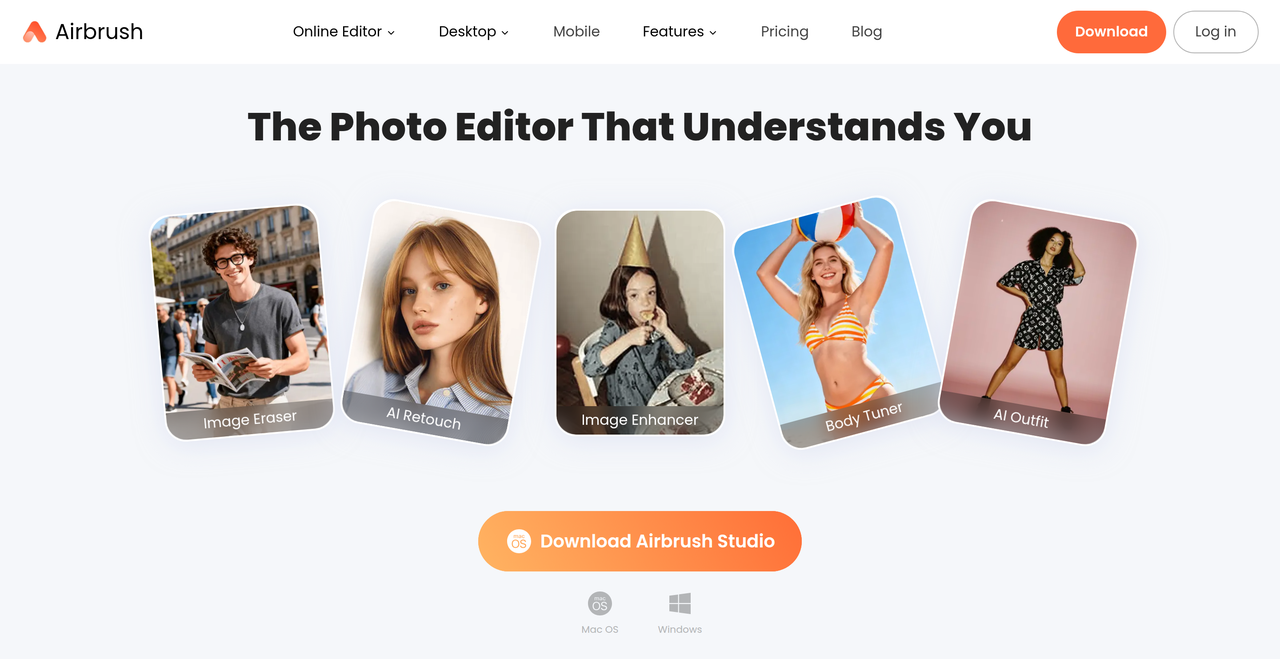
Key Features:
  • AI Powered Retouch
  • Image Eraser/Object Remover
  • Image Enhancer & Upscaler
  • AI Outfit Changer
  • Background Remover
Pros
  • Everyday users who want simple, natural, and fun photo enhancements.
  • Content creators looking to craft scroll-stopping posts and build a unique visual identity.
  • Professionals needing pro-level retouching for portraits, headshots, and documents without a studio.
Cons
  • While it has a mobile app for video editing, the desktop Studio is primarily for photos.
  • Some advanced features might require a premium subscription.
  • The AI-driven nature might limit creative control for highly specific artistic visions.
Pricing
freemiumFree tier
Free tier:Offers free features for everyone, with optional premium tools.
Trial:7-day Free Trial for download
Share:
Quick Decision
Try if: You should try Airbrush if you need an intuitive, AI-powered photo editor for quick, professional-looking enhancements on both desktop and mobile, especially for portraits and social media content.
Skip if: Skip if you require highly specialized, manual control over every pixel or if your primary need is advanced video editing on a desktop platform.
Not for: Users who prefer manual, granular control over every aspect of photo editing.; Professionals primarily focused on video editing, as the desktop version is photo-centric.
Trust Signals
  • Users


    172.8K+ Ratings
Tech Details
Platforms
webmacOSWindowsiOSAndroid
  • AI Model


    Proprietary AI technology
Open Source
No
Support
Channels
Help CenterContact Us
Company
  • Name


    Pixocial Technology (Singapore) Pte. Ltd.
  • Location


    Singapore

Pixocial Technology (Singapore) Pte. Ltd. develops Airbrush, a smart photo and video editing app designed to make creating stunning images easy for everyone.

FAQ

What is Airbrush?

Airbrush is a smart photo and video editing app that makes it easy to create stunning images. It offers AI Filters, skin smoothing, object removal, and background adjustments with intuitive tools for photographers, content creators, and everyday users.

Can I use Airbrush on my mobile device?

Yes! Airbrush is available on both Android and iOS, allowing you to edit your photos and videos anytime, anywhere.

Is Airbrush free?

Airbrush offers free features for everyone, with optional premium tools available for more advanced editing capabilities.

How does Airbrush use AI in editing?

Airbrush utilizes smart AI technology to streamline and simplify editing processes, such as smoothing skin, adjusting features, or removing unwanted objects. The AI analyzes your photo or video to help achieve professional-quality results while maintaining a natural look.

What is Airbrush Studio and who is it for?

Airbrush Studio is the desktop-focused photo editor that converts advanced editing into simple, one-click solutions. It's designed for photographers, creators, and enthusiasts to perfect images quickly.

Use Cases
  • Everyday users who want simple, natural, and fun photo enhancements.
  • Content creators looking to craft scroll-stopping posts and build a unique visual identity.
  • Professionals needing pro-level retouching for portraits, headshots, and documents without a studio.
AILookup

Research utility for AI tools. Compare reviewed profiles, distinguish listed tools from reviewed coverage, and track tool changes without marketing fluff.

© 2026 AILookup. All rights reserved.