BeautyPlus Image Enhancer

Ever wished your blurry photos could magically become crystal clear and high-definition?

RecommendedBeautyPlus AI Image Enhancer is a user-friendly tool for automated photo enhancement and upscaling, offering convenience for both individual and bulk image processing.

BeautyPlus AI Image Enhancer uses machine learning to automatically sharpen blurry images, fill in missing details, and upscale them to higher resolutions without stretching pixels. It offers both individual and bulk processing for efficient photo enhancement.
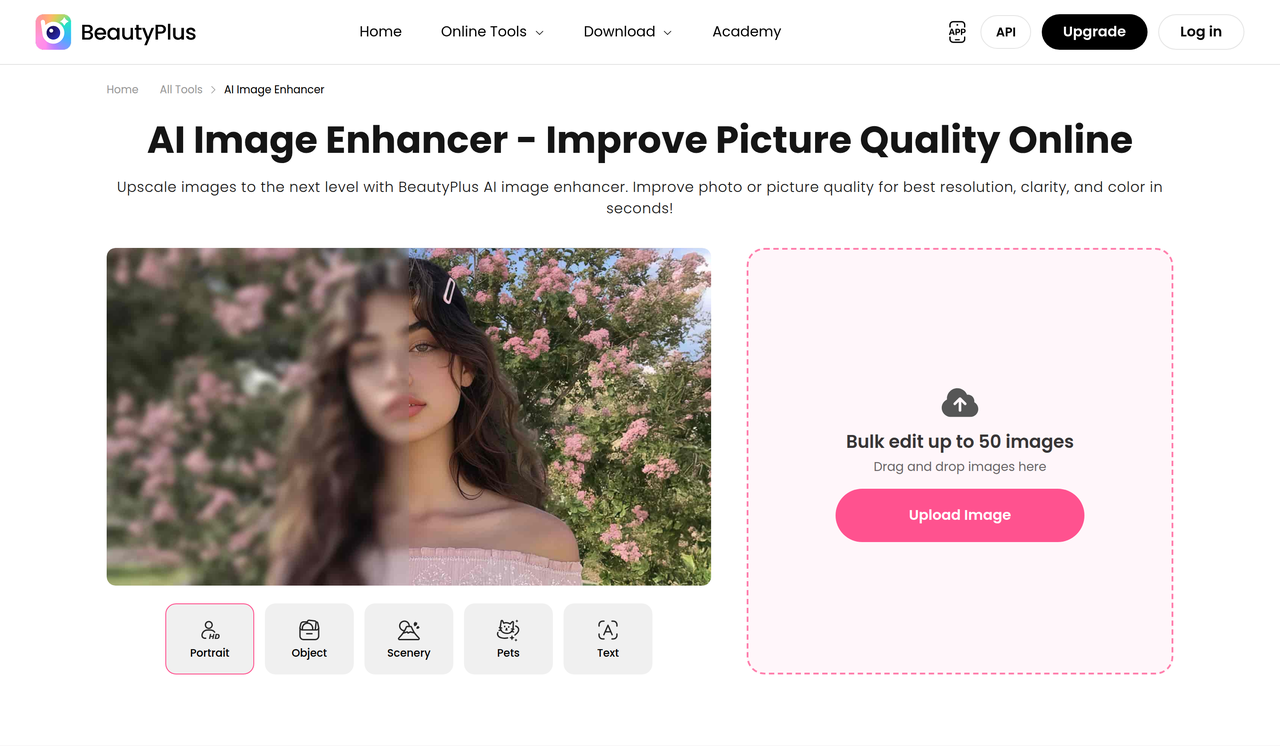
Key Features:
  • AI Image Enhancer for sharpening and clarifying images.
  • AI Image Upscaler to increase resolution up to 4K.
  • Unblur Image tool to remove blur and enhance details.
  • Batch processing for up to 50 images simultaneously.
  • No watermarks on enhanced exports.
Pros
  • Photographers needing to restore old or blurry photos to HD quality.
  • Social media managers looking to quickly enhance multiple images for posts.
  • Individuals wanting to improve the clarity and resolution of personal photos without complex software.
Cons
  • Free usage is limited to 3 times per day for AI filters, implying similar limits for other free AI tools.
  • The tool supports JPG, JPEG, and PNG formats only, with a maximum size of 4096x4096 pixels and 10MB.
  • Some advanced features like AI UHD enhancement and UHD video enhance are exclusive to higher-tier paid plans.
Pricing
freemiumFree tier
Starting at:$X/month (Pro plan)
Free tier:Limited access to AI features, basic assets, export with watermark. AI filters are limited to 3 uses per day.
Plans
  • Free: Limited AI features, basic assets, watermarked exports.
  • Pro: 200 BeautyPlus Credits/mo, Unlimited Photo Enhancer, 2400s/mo video enhance, 40+ images/mo AI Object Remover, 40+ images/mo AI Image Creation, Premium Assets, No Watermarks on HD Exports.
  • Max: 500 BeautyPlus Credits/mo, Everything in Pro, Unlimited AI UHD Enhancement, 6000s/mo video enhance, 2000s/mo UHD Video Enhance, 100+ images/mo AI Object Remover, 100+ images/mo AI Image Creation, Unlimited Premium Assets, Watermark-Free 4K/HD Exports.
Share:
Quick Decision
Try if: You need a quick and easy way to enhance and upscale photos, especially if you have multiple images to process. The freemium model allows you to test its capabilities before committing to a paid plan.
Skip if: You require highly precise manual editing controls or need to work with file formats other than JPG, JPEG, or PNG, or larger file sizes.
Not for: Users who require extremely fine-grained manual control over enhancement parameters.; Professionals needing advanced photo editing features beyond AI enhancement and basic adjustments.
Trust Signals
  • Founded


    2026
Tech Details
Platforms
web
Open Source
No
Support
Channels
help center
Company
  • Name


    Pixocial Technology (Singapore) Pte. Ltd.
  • Location


    Singapore

BeautyPlus AI photo editor helps users capture and share life in dynamic ways using hundreds of filters, stickers, makeup tools, special effects, and much more.

FAQ

Is the BeautyPlus AI Image Enhancer free to use?

Yes, the BeautyPlus AI Image Enhancer has a free tier with limited usage. For example, AI filters are limited to 3 uses per day, and free exports may include watermarks. Paid plans offer unlimited usage and additional features.

What types of images can I enhance with BeautyPlus?

You can enhance various types of images, including blurry photos, low-resolution images, and photos needing sharpening. The tool is designed to improve clarity, details, and overall quality for both personal and commercial use.

Can I process multiple images at once with the AI Image Enhancer?

Yes, BeautyPlus offers batch processing for up to 50 images at a time. You can upload all your images, and the AI will unblur and enhance them simultaneously, allowing you to download the completed batch as a zip file.

What are the file format and size limitations for image uploads?

The tool supports JPG, JPEG, and PNG image formats. Images can be up to 4096x4096 pixels with a maximum file size of 10MB.

Use Cases
  • Photographers needing to restore old or blurry photos to HD quality.
  • Social media managers looking to quickly enhance multiple images for posts.
  • Individuals wanting to improve the clarity and resolution of personal photos without complex software.
AILookup

Research utility for AI tools. Compare reviewed profiles, distinguish listed tools from reviewed coverage, and track tool changes without marketing fluff.

© 2026 AILookup. All rights reserved.