Botsheets

Imagine your Google Sheets not just storing data, but actively powering dynamic conversations.

RecommendedBotsheets offers a unique, no-code solution for building powerful marketing chatbots directly integrated with Google Sheets, simplifying content management and data flow.

Botsheets enables the creation of marketing chatbots that interact with Google Sheets. It allows chatbots to read data from sheets to generate responses, extract information from conversations, and deliver actionable data back to Google Sheets, all without coding.
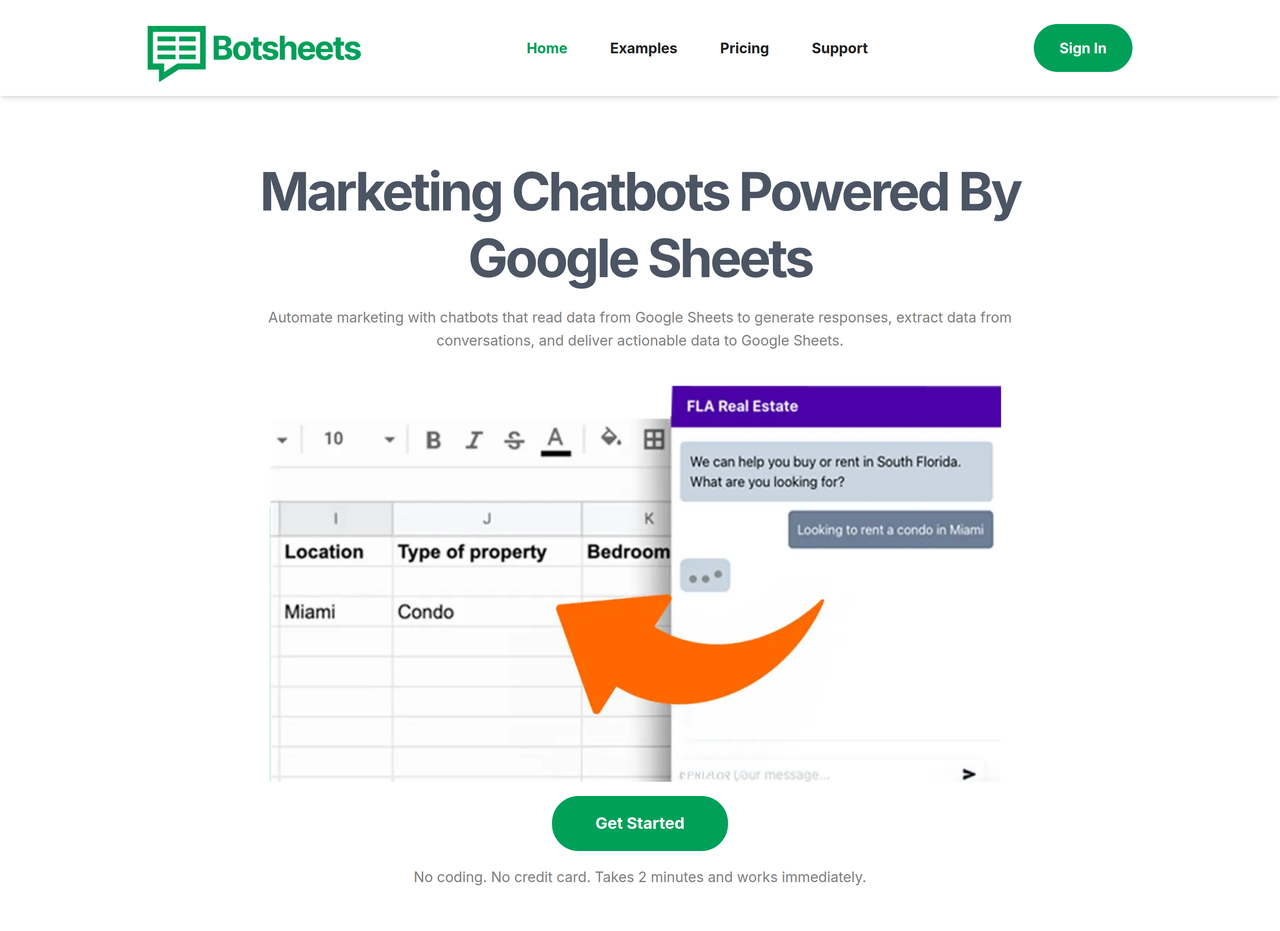
Key Features:
  • Chatbots read and write data to Google Sheets.
  • Replaces forms with conversational data collection.
  • Generates tables and visualizations from Google Sheet data.
  • Creates professional Google Slides presentations from data.
  • Integrates with Manychat for marketing automation.
  • Supports multiple Google Sheets as data sources for a single chatbot.
Pros
  • Agencies managing client chatbots with easy content updates via Google Sheets.
  • Business teams needing to quickly deploy chatbots for data collection.
  • Marketers who want to use Google Sheets as a dynamic database for conversational experiences.
Cons
  • Reliance on Google Sheets means data management is tied to Google's ecosystem.
  • Credit-based system for document generation and messages might require monitoring.
  • Customization options for chatbot appearance might be limited to branding settings.
Pricing
freemiumFree tier
Starting at:$19/month
Free tier:Free trial on all plans
Plans
  • Lite: $19/month (10,000 Requests, Unlimited Chatbots, Template Library, Per Google Account)
  • Pro: $49/month (100,000 Requests, Unlimited Chatbots, Template Library, Per Google Account)
  • Platinum: $149/month (Unlimited Requests, Unlimited Chatbots, Template Library, Per Google Account)
Trial:Free trial on all plans, no credit card required
Share:
Quick Decision
Try if: You manage marketing campaigns or customer interactions and want to leverage Google Sheets for dynamic content and data collection without writing code.
Skip if: You require a highly custom-coded chatbot solution or do not use Google Sheets as a primary data source.
Not for: Developers looking for highly customizable, code-heavy chatbot solutions.; Users who do not use Google Sheets for data management.
Trust Signals
  • Founded


    2025
  • Team Size


    small
Compliance
GDPR
Tech Details
Platforms
web
Integrations
Google SheetsManychatGoogle DriveOpenAI
Open Source
No
Support
Channels
emailchatdocumentationdiscordfacebook groupyoutube
Company
  • Name


    Botsheets Inc.
  • Location


    Huntingdon Valley, Pennsylvania, United States of America

Botsheets Inc. is committed to operational excellence and delivering the best possible experience for every Botsheets user, providing tools for marketing chatbots powered by Google Sheets.

FAQ

Which Botsheets product is best for me?

If you need ad-hoc reports, use the Google Sheets extension. For interactive chat experiences, connect your Google Drive to Botsheets to create a chatbot.

Can I use more than one Google Sheet with a single chatbot?

Yes, you can connect a large number of Google Sheets to a single chatbot. The chatbot will determine the best data source (Google Sheet, website, or PDF) to generate a response.

How do Botsheets credits work?

For document bots, one credit equals one document generated. For chatbots, each message uses 10 credits for requests from sheets and 5 credits for requests using PDFs/webpages. You can also use your own OpenAI API Key to avoid using Botsheets credits.

Is Botsheets GDPR compliant?

Yes, Botsheets prioritizes GDPR compliance, employing Standard Contractual Clauses (SCCs) for data transfers and adhering to GDPR principles in all operations. They also delete visitor data after 30 days and ensure third-party vendors are GDPR aligned.

Can I embed Botsheets chatbots on my website?

Yes, Botsheets offers several ways to integrate chatbots into your website, including direct links, a chat widget (icon in the corner), or embedding the chat directly into a page using an iFrame. Instructions are provided for platforms like WordPress and Wix.

Use Cases
  • Agencies managing client chatbots with easy content updates via Google Sheets.
  • Business teams needing to quickly deploy chatbots for data collection.
  • Marketers who want to use Google Sheets as a dynamic database for conversational experiences.
AILookup

Research utility for AI tools. Compare reviewed profiles, distinguish listed tools from reviewed coverage, and track tool changes without marketing fluff.

© 2026 AILookup. All rights reserved.