Buzz Captions

Ever wished for a powerful, offline transcription tool that speaks over 90 languages?

RecommendedBuzz Captions offers robust, open-source, and offline transcription capabilities, making it an excellent choice for users prioritizing privacy and local control over their data.

Buzz Captions offers robust offline audio transcription and translation capabilities, leveraging OpenAI's Whisper technology. It allows users to import various audio and video files, export transcripts in multiple formats, and even perform live transcription from microphones.
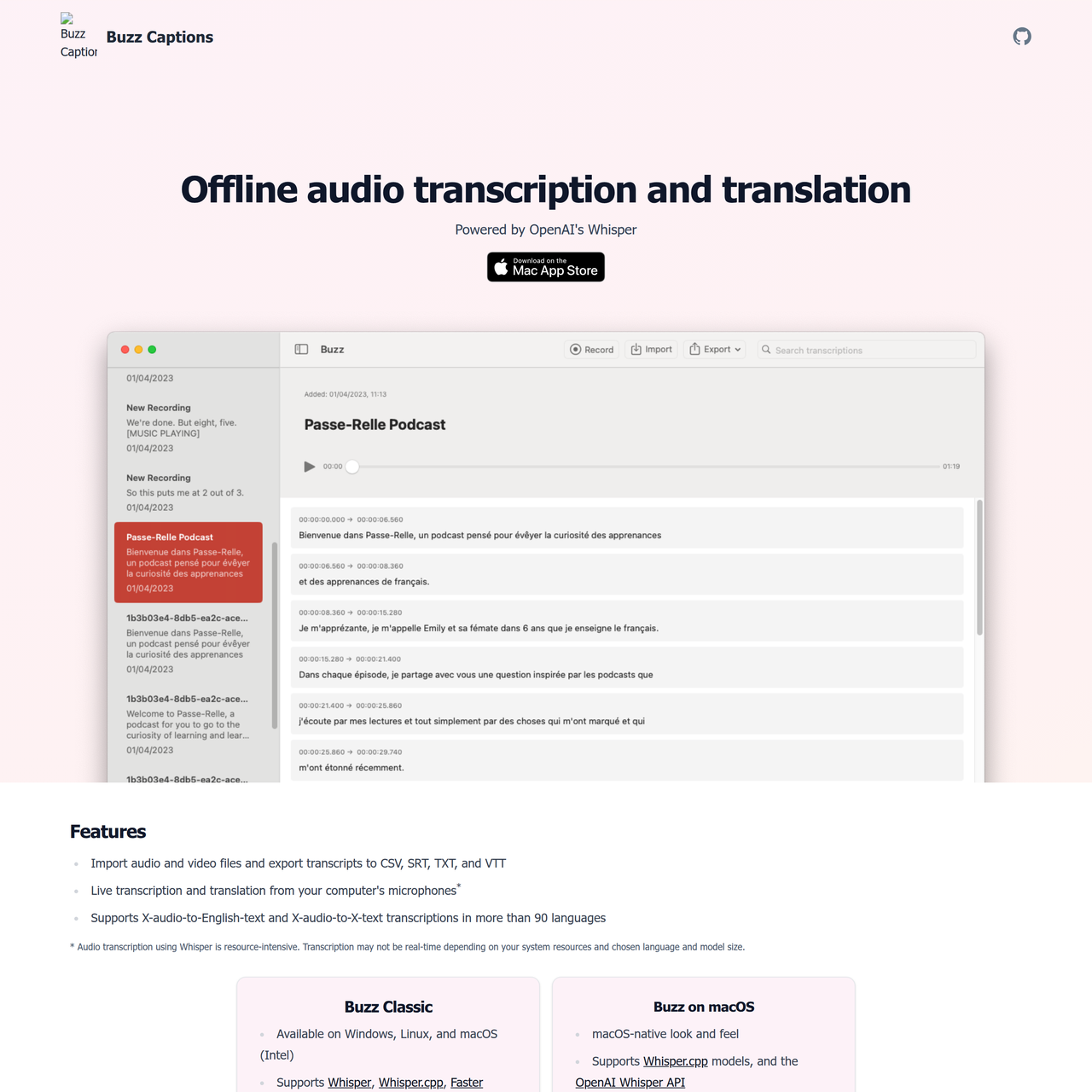
Key Features:
  • Offline audio and video transcription and translation.
  • Export transcripts to CSV, SRT, TXT, and VTT formats.
  • Live transcription and translation from computer microphones.
  • Supports over 90 languages for transcription and translation.
  • Compatibility with multiple Whisper models (Whisper, Whisper.cpp, Faster Whisper, Hugging Face, OpenAI API).
Pros
  • Content creators needing accurate, private transcriptions without cloud uploads.
  • Researchers and journalists requiring offline translation of audio interviews.
  • Developers and power users who want to leverage different Whisper models locally.
Cons
  • Transcription can be resource-intensive and may not be real-time depending on system specs.
  • The macOS-native version has specific features not available in Buzz Classic.
  • Requires local installation and management of models for offline use.
Pricing
freemiumFree tier
Starting at:unknown
Free tier:Buzz Classic is free and open-source.
Plans
  • Buzz Classic: Free and open-source
  • Buzz on macOS: Available on Apple App Store (pricing not specified on website)
Share:
Quick Decision
Try if: You need a powerful, privacy-focused offline transcription and translation tool, especially if you work with sensitive audio or prefer local processing.
Skip if: You require a purely cloud-based, real-time transcription service for very long audio files without local hardware constraints, or prefer a simpler, browser-only solution.
Not for: Users who require real-time, cloud-based transcription for very long audio files without local processing power.; Individuals looking for a simple, browser-based transcription solution without any software installation.
Trust Signals
  • Team Size


    small
Tech Details
Platforms
WindowsLinuxmacOS
  • AI Model


    OpenAI Whisper
Open Source
Yes
Support
Channels
GitHub issues
  • Response Time


    unknown
Company
  • Name


    Buzz Captions

Buzz Captions provides offline audio transcription and translation tools, leveraging OpenAI's Whisper technology, with both open-source and macOS-native options.

FAQ

Is Buzz Captions free to use?

Yes, 'Buzz Classic' is free and open-source, available on Windows, Linux, and macOS (Intel). The 'Buzz on macOS' version is available on the Apple App Store, but its specific pricing is not detailed on the website.

What is the difference between 'Buzz Classic' and 'Buzz on macOS'?

'Buzz Classic' is free, open-source, and available across Windows, Linux, and macOS (Intel), supporting a wider range of Whisper models. 'Buzz on macOS' offers a native macOS look and feel, supports Whisper.cpp models and OpenAI Whisper API, and includes features like search, audio playback, and inline editing.

Can Buzz Captions transcribe in languages other than English?

Yes, Buzz Captions supports X-audio-to-English-text and X-audio-to-X-text transcriptions in more than 90 languages, making it highly versatile for global content.

Use Cases
  • Content creators needing accurate, private transcriptions without cloud uploads.
  • Researchers and journalists requiring offline translation of audio interviews.
  • Developers and power users who want to leverage different Whisper models locally.
AILookup

Research utility for AI tools. Compare reviewed profiles, distinguish listed tools from reviewed coverage, and track tool changes without marketing fluff.

© 2026 AILookup. All rights reserved.