Captions

What if your video editor understood your vision and executed it with a single tap?

RecommendedCaptions.ai is a powerful AI video editor that democratizes professional video production, enabling rapid content creation and localization for a wide range of users and industries.

Captions.ai is an AI-powered video editor that transforms raw footage into polished videos in minutes, without requiring editing experience. It offers a library of AI Edit styles that automatically apply B-roll, transitions, music, and other elements, along with a conversational editor for prompt-based changes.
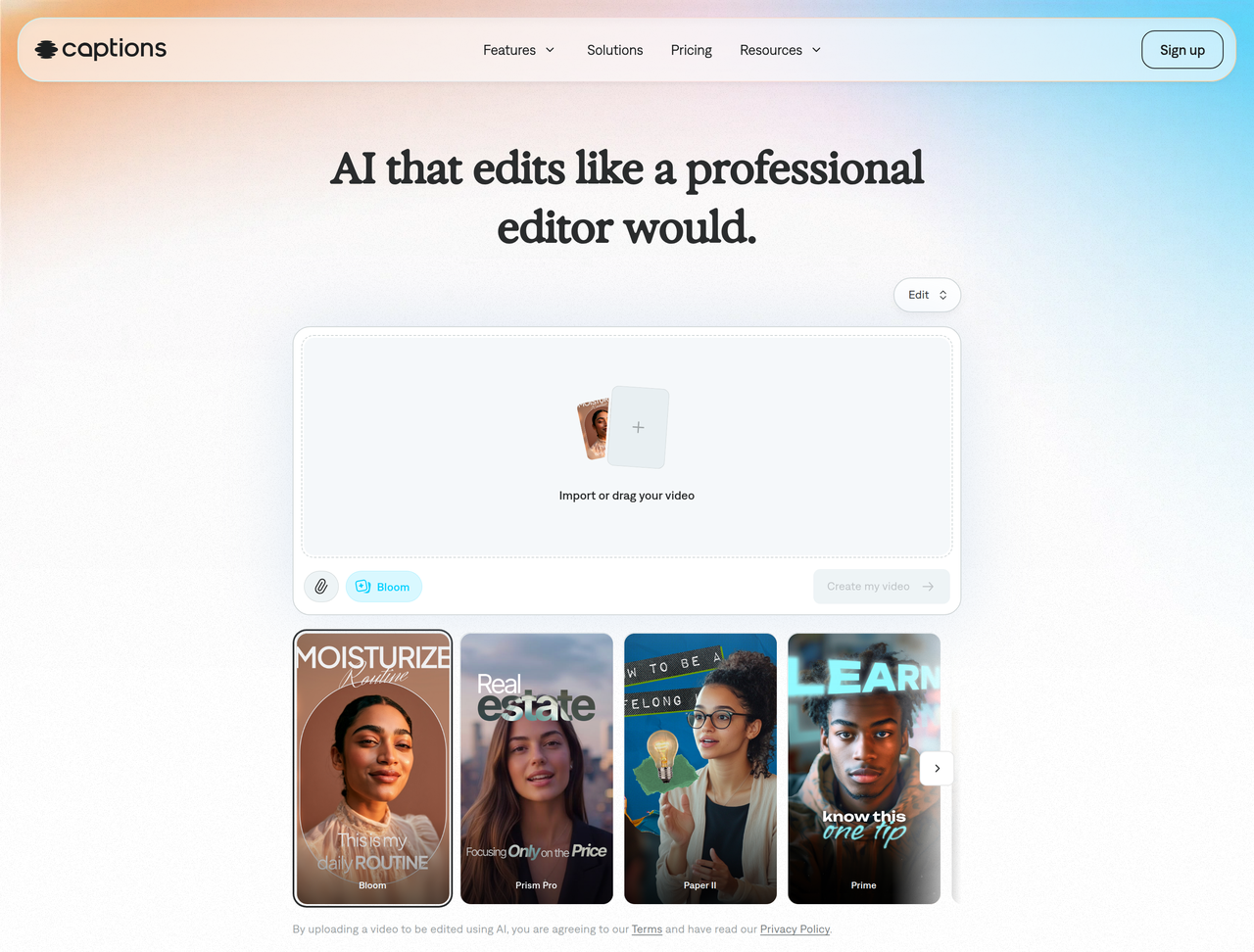
Key Features:
  • AI Edit styles for one-tap video transformation
  • Chat-based editor for prompt-driven changes
  • Automatic captions and subtitles in 100+ languages
  • AI lip sync for natural translated videos
  • Quick fixes: trim, denoise, eye contact correction, background removal
Pros
  • Content creators needing fast, professional video edits
  • Businesses scaling video content without large production teams
  • Podcasters repurposing audio into engaging video clips
Cons
  • Full access to advanced AI features requires a paid subscription.
  • While customizable, the AI-driven nature might limit some unique creative control.
  • Pricing is displayed in USD and reflects iOS plans only, which might vary for other platforms.
Pricing
freemiumFree tier
Starting at:$24.99/mo
Free tier:Limited feature set, basic tools like trimming, transitions, and some media library assets. No AI usage credits.
Plans
  • Free: Basic editing tools, 1 caption template
  • Max: $24.99/mo (most popular) - Access to AI Edit styles, AI actors, chat-based editor, 500 credits/month, generative AI features
  • Scale: $69.99/mo - Everything in Max, plus 1,400 credits/month, more sophisticated generative AI models
  • Scale 2x: $139.99/mo - Everything in Max, plus 2,800 credits/month, more sophisticated generative AI models
  • Scale 4x: $279.99/mo - Everything in Max, plus 5,600 credits/month, more sophisticated generative AI models
  • Enterprise: Custom pricing - Bulk credit discounts, custom seats, dedicated account management, training data exclusion, priority support, early beta access
Share:
Quick Decision
Try if: You need to produce a high volume of professional-looking videos quickly, without extensive editing skills, especially for social media or marketing. It's also great for localizing content with AI lip sync.
Skip if: You require extremely precise, frame-by-frame manual control over your edits, or if your budget does not allow for a paid subscription after the free tier's limitations.
Not for: Professional video editors who prefer granular manual control over every detail; Users seeking a free, full-featured video editing solution
Trust Signals
  • Founded


    2026
  • Users


    20M+
  • Team Size


    unknown
Compliance
SOC2
Tech Details
Platforms
webiOS
Open Source
No
Support
Channels
help centeremail
  • Response Time


    unknown
Company
  • Name


    NOCAP, Inc. d/b/a Captions
  • Location


    unknown

Captions.ai is developed by NOCAP, Inc. d/b/a Captions, focusing on making video creation accessible and efficient through AI.

FAQ

What is an AI Edit style?

AI Edit is a one-tap video preset that applies a full editing style to your entire video at once. It's a proprietary Captions feature, powered by an AI model that understands taste and editing. The feature applies details like color grades, typography, transitions, overlays, and pacing all at once. You don't adjust anything manually. Pick the style, confirm, and the AI handles the edit.

Do I need editing experience to use Captions?

No, not at all. Captions is built and designed to be intuitive. The app handles all the complex editing tasks for you. For example, it will auto cut out silences, add captions, add zooms, clean up your audio, and more with the tap of a button.

Is there a free version of Captions?

Yes, there is a free version of Captions. It includes a more limited feature set than you'll get with our paid plans. We recommend subscribing so you can use generative AI features and more advanced editing tools. The free plan includes basic tools like trimming, transitions and some media library assets.

How does AI lip sync improve videos?

AI lip sync gives video clips a smooth, natural flow. You can use it for translated videos or even to update audio in older clips. AI tools create mouth movements and expressions that match your voice tracks. Maintain great quality while reducing your effort—no editing or reshoots, just results.

How quickly can a nonprofit create video content with Captions?

Most videos take under 10 minutes from prompt to finished product. This makes it practical for communications teams to produce timely content like campaign updates, event recaps, or community response videos without delays.

Use Cases
  • Content creators needing fast, professional video edits
  • Businesses scaling video content without large production teams
  • Podcasters repurposing audio into engaging video clips
AILookup

Research utility for AI tools. Compare reviewed profiles, distinguish listed tools from reviewed coverage, and track tool changes without marketing fluff.

© 2026 AILookup. All rights reserved.