FocuSee

What if your screen recordings could look professionally edited the moment you hit stop?

RecommendedFocuSee is a powerful AI-driven tool that automates complex video editing tasks, making professional screen recordings accessible to a wider audience.

FocuSee is an AI-powered screen recording and editing tool that automates post-production to create professional, eye-catching videos. It handles dynamic zooms, cursor effects, and AI enhancements, allowing users to focus on content creation rather than tedious editing.
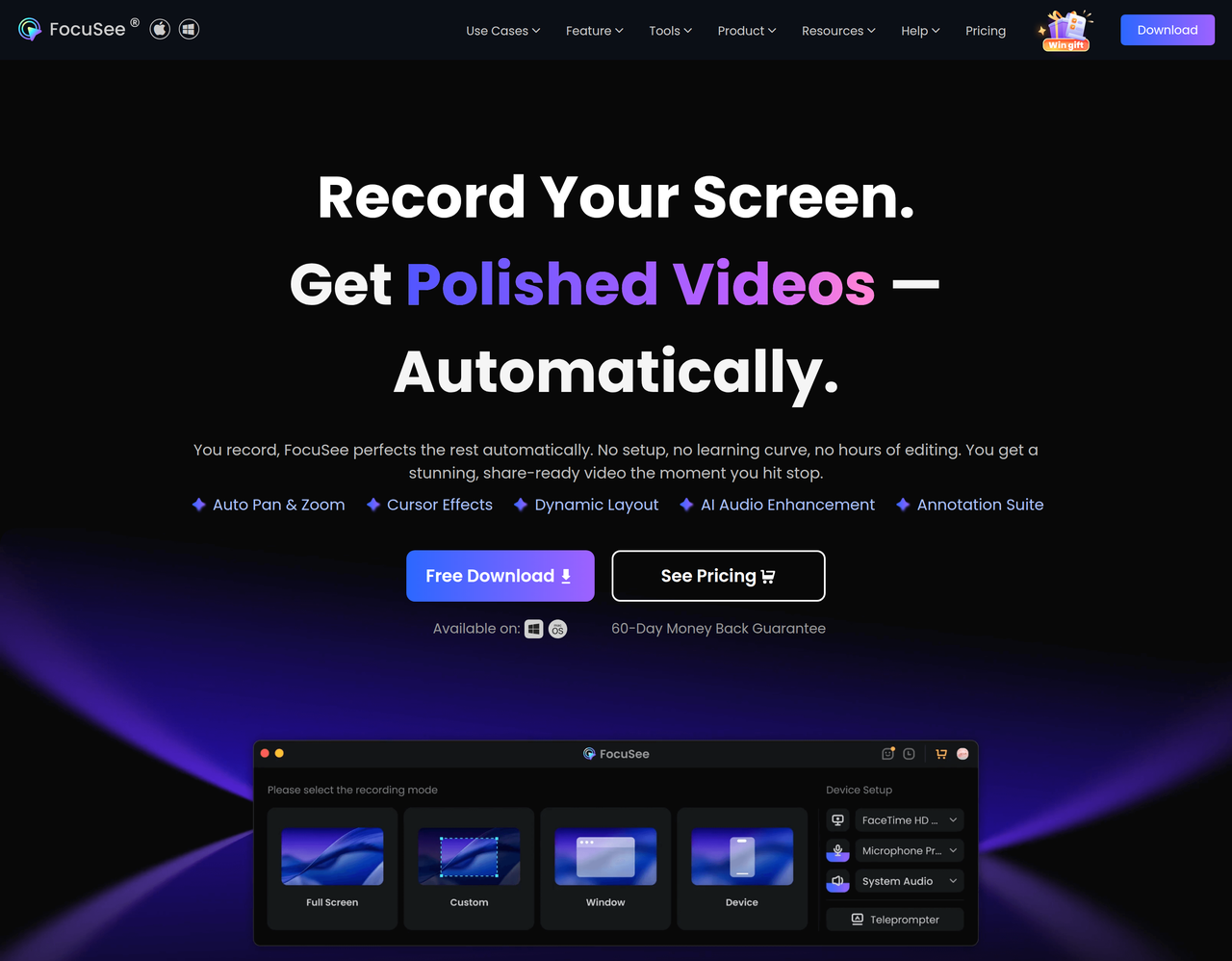
Key Features:
  • AI Visual Focus (Auto Pan & Zoom, Cursor Effects, 3D Motion)
  • AI Virtual Avatar for digital presenters
  • AI Subtitle Generation in over 50 languages
  • AI Audio Enhancement (Voice Enhancement, Noise Reduction)
  • AI Smart Cut for filler words and silence removal
  • Background Removal for webcam recordings
  • Built-in Teleprompter
  • Mobile Device Recording (iOS & Android)
Pros
  • Content creators needing polished demo or tutorial videos without extensive editing.
  • Marketers and sales professionals creating engaging product showcases and pitch videos.
  • Educators and trainers developing high-quality online courses and presentation videos.
Cons
  • The extent of customization for AI-generated effects might be limited compared to manual editing.
  • Reliance on AI features means the quality of output is dependent on AI accuracy.
  • Specific pricing details for different tiers are not immediately available on the main page.
Pricing
paidFree tier
Starting at:unknown
Free tier:Online tools are free, desktop app likely has trial/limited features.
Trial:unknown
Refund:60-Day Money Back Guarantee
Share:
Quick Decision
Try if: You frequently create screen-recorded content (demos, tutorials, marketing videos) and want to significantly reduce post-production time while achieving a professional, polished look with AI assistance.
Skip if: You prefer granular manual control over every editing detail, or you only need a very basic screen recorder without advanced AI features.
Not for: Users who prefer full manual control over every aspect of video editing.; Individuals looking for a basic, no-frills screen recorder without advanced AI features.
Trust Signals
  • Founded


    2011
  • Team Size


    medium
Tech Details
Platforms
WindowsmacOSWeb
  • AI Model


    unknown
Open Source
No
Support
Channels
emailFAQsGuideSupport Ticket
  • Response Time


    within 24 hours on workdays and 48 hours on holidays
Company
  • Name


    iMobie Inc.
  • Location


    unknown

iMobie was established in 2011, dedicated to helping iOS & Android users enjoy digital life with ultra simplicity. The company's name is inspired by I'M Optimistic, Brave, Independent & Efficient, representing a young, passionate, and promising team.

FAQ

What types of videos can I create with FocuSee?

FocuSee is designed for creating various types of videos including product demos, tutorial videos, marketing videos, reaction videos, promo videos, pitch videos, presentation videos, explainer videos, and online courses.

Does FocuSee offer AI features to enhance videos?

Yes, FocuSee includes several AI features such as AI Virtual Avatar, AI Subtitle Generation, AI Background Removal, AI Audio Enhancement (voice enhancement and noise reduction), and AI Smart Cut for removing filler words and silences.

Is there a free version or trial available for FocuSee?

FocuSee offers free online tools like a screen recorder, camera recorder, and microphone recorder. For the desktop application, while a direct 'free trial' is not explicitly stated on the main page, a 'Free Download' option is prominent, suggesting a trial or free version with potential limitations. They also offer a 60-Day Money Back Guarantee.

What operating systems does FocuSee support?

FocuSee is available for both Windows and macOS. It also supports recording from iOS and Android mobile devices.

Can FocuSee automatically add zoom and cursor effects to my videos?

Yes, FocuSee features 'AI Visual Focus' which includes automatic zoom that follows clicks, cursor effects with personalized styles and animations, and 3D motion effects to create cinematic visual emphasis without manual editing.

Use Cases
  • Content creators needing polished demo or tutorial videos without extensive editing.
  • Marketers and sales professionals creating engaging product showcases and pitch videos.
  • Educators and trainers developing high-quality online courses and presentation videos.
AILookup

Research utility for AI tools. Compare reviewed profiles, distinguish listed tools from reviewed coverage, and track tool changes without marketing fluff.

© 2026 AILookup. All rights reserved.