Ginger AI

What if every word you wrote was perfectly polished and powerfully persuasive?

RecommendedGinger is a comprehensive AI writing assistant that excels in context-based corrections, rephrasing, and accessibility, making it a strong choice for individuals and businesses aiming for confident and clear English communication.

Ginger is an AI-powered writing assistant that goes beyond basic spelling and grammar checks. It analyzes full sentences to provide context-based corrections, rephrasing suggestions, and AI-based synonyms to enhance writing style and boost creativity.
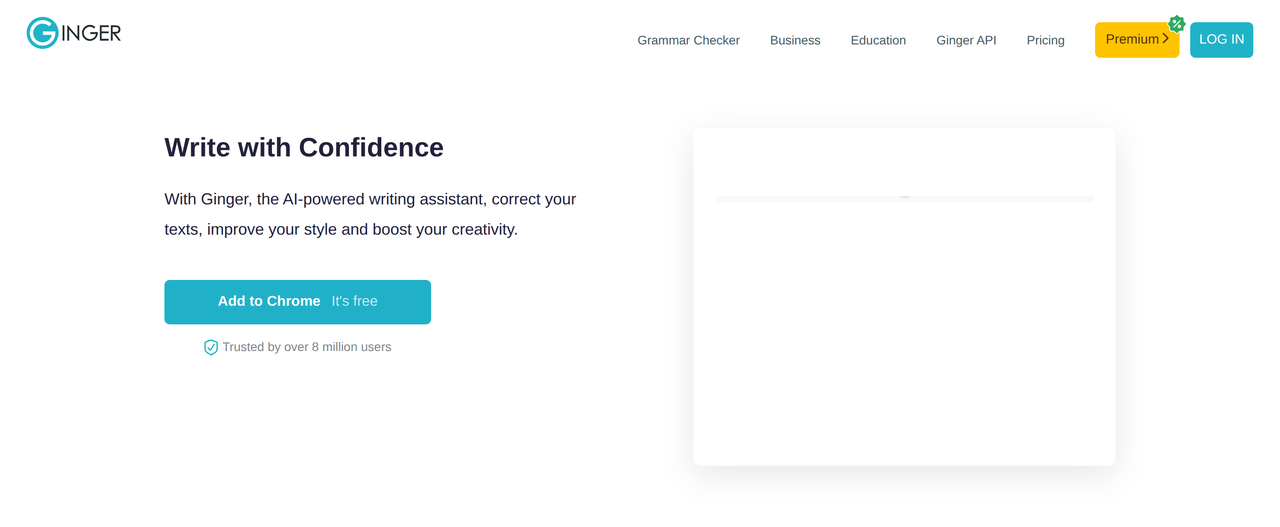
Key Features:
  • Context-based grammar and spell checking for full sentences.
  • AI-powered Rephrase tool for alternative phrasing and streamlining sentences.
  • AI-based Synonyms for finding perfect word matches.
  • Cross-platform compatibility (web, desktop, mobile, browser extensions).
  • Translation to 40+ languages using neural machine translation.
Pros
  • Professionals needing to ensure clear and effective business communication across various platforms.
  • Students and educators looking to improve English writing skills and overcome writing difficulties, including dyslexia.
  • Content creators and marketers aiming to boost creativity and streamline wordy sentences with smart alternatives.
Cons
  • The free version has limited functionality compared to premium plans.
  • Microsoft Office add-in is Windows-only.
  • On-premise installation and full web version customization are only available for very large teams (2000+ users).
Pricing
freemiumFree tier
Starting at:$3.00/month
Free tier:Essential functionality, free account creation available.
Plans
  • Free: Essential functionality
  • Premium 2 years: $3.00/month (billed as $72.00)
  • Premium Annual: $3.75/month (billed as $45.00)
  • Premium Quarterly: $4.99/month (billed as $14.97)
  • Premium Monthly: $6.50/month
  • Students & Teachers: 70% OFF
Refund:7-day money-back guarantee
Share:
Quick Decision
Try if: You frequently write in English and need an AI-powered assistant that offers more than basic grammar checks, focusing on style, rephrasing, and supporting specific writing challenges like dyslexia.
Skip if: You are looking for a free tool with full premium features, or your primary need is content generation rather than correction and enhancement of existing text.
Not for: Users primarily seeking a tool for generating long-form content from scratch.; Individuals who require advanced features for highly specialized or technical writing in fields outside of general English.
Trust Signals
  • Founded


    2010
  • Users


    8 million users
  • Team Size


    unknown
  • Funding


    $25 million in investments
Tech Details
Platforms
webapiiosandroidmacwindowschrome_extensionedge_extension
Integrations
Microsoft OfficeGoogle DocsGmailFacebookLinkedInTwitter
  • AI Model


    Deep learning techniques, advanced language models
Open Source
No
Support
Channels
help_centercontact_form
  • Response Time


    unknown
Company
  • Name


    Ginger Software
  • Location


    unknown

Ginger is an AI-powered grammar and spell checker focusing on the English language, founded in 2010. It aims to help people write better, faster, and more creatively, with a mission to empower both native and non-native English speakers, including those with writing struggles like dyslexia.

FAQ

What is the difference between Ginger Premium and Ginger Business?

Ginger Premium is designed for individuals who want to enhance their writing with advanced features. Ginger Business is tailored for teams and organizations requiring professional and precise communication for all members, offering features like centralized billing and scalability.

Does Ginger offer a free trial?

Ginger does not offer a free trial for its premium features. However, it provides a free version with essential functionality, allowing users to familiarize themselves with the tool before considering a premium subscription.

How does Ginger support users with dyslexia?

Ginger's AI-powered algorithm analyzes text at a sentence level, rather than word by word, to understand the intended message, which is particularly helpful for dyslexic users who may struggle with phonetic spelling, letter sequencing, homophone usage, and sentence structure. It also offers text-to-speech and mistake explanations.

Use Cases
  • Professionals needing to ensure clear and effective business communication across various platforms.
  • Students and educators looking to improve English writing skills and overcome writing difficulties, including dyslexia.
  • Content creators and marketers aiming to boost creativity and streamline wordy sentences with smart alternatives.
AILookup

Research utility for AI tools. Compare reviewed profiles, distinguish listed tools from reviewed coverage, and track tool changes without marketing fluff.

© 2026 AILookup. All rights reserved.