GitHub Copilot Workspace

What if your development environment could understand your intent and build the solution for you?

RecommendedCopilot Workspace offers a unique agentic development experience for complex code changes, leveraging AI to plan and implement tasks with significant developer oversight.

Copilot Workspace is an agentic development environment that helps developers jumpstart tasks by describing intent in natural language. It proposes a plan of action, implements changes, and allows for iteration and validation of code changes.
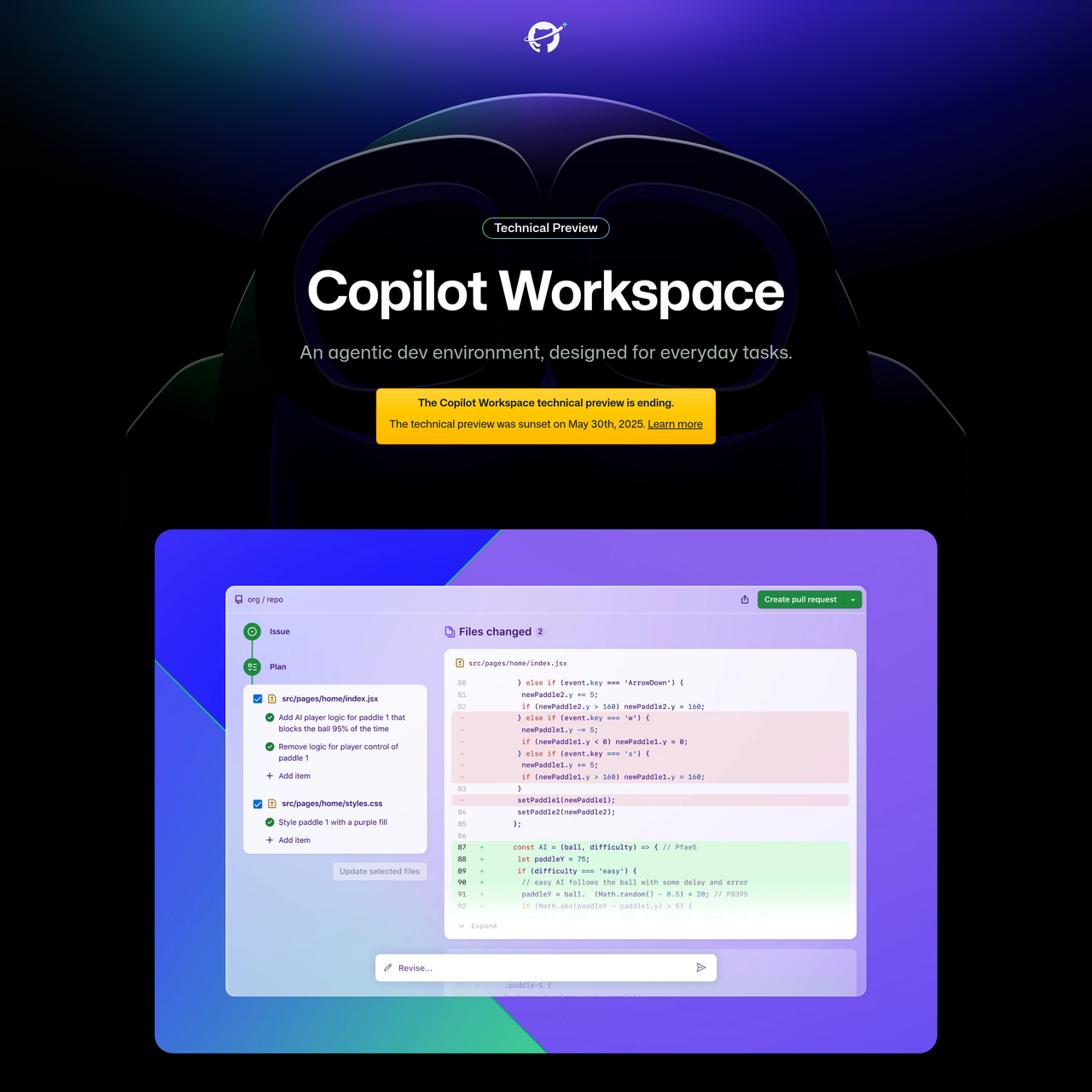
Key Features:
  • Natural language task description and plan generation.
  • Brainstorm agent for discussing ideas and refining solutions.
  • Integrated terminal and secure port forwarding for validation.
  • Repair agent to fix test failures based on error messages.
  • Collaborative sharing of workspaces and one-click PR creation.
Pros
  • Developers with paid Copilot subscriptions needing AI assistance for multi-file code changes.
  • Teams looking for a collaborative environment to iterate on code changes with AI assistance.
  • Developers who want to quickly prototype and validate solutions for issues or PRs.
Cons
  • The technical preview was sunset on May 30, 2025, indicating potential changes or discontinuation.
  • Requires a paid Copilot subscription to access.
  • Sharing a workspace creates a snapshot, and subsequent changes are not automatically reflected in the shared version.
Pricing
paid
Share:
Quick Decision
Try if: You have a paid Copilot subscription and want an agentic AI environment to accelerate multi-file code changes, especially for issues or PRs, with strong steerability and collaboration features.
Skip if: You do not have a paid Copilot subscription, your organization restricts OAuth apps, or you prefer a traditional IDE without AI-driven planning and execution.
Not for: Developers without a paid Copilot Individual, Business, or Enterprise subscription.; Organizations with strict OAuth application restrictions that prevent Copilot Workspace access to repositories.
Trust Signals
  • Team Size


    large
Tech Details
Platforms
webmobile
Integrations
GitHub CodespacesRaycast
  • AI Model


    GPT-4o
Open Source
No
Support
Company
  • Name


    GitHub Next

GitHub Next is a team within GitHub exploring the future of software development.

FAQ

Who can access Copilot Workspace?

Anyone with a paid Copilot Individual, Copilot Business, or Copilot Enterprise subscription can use Copilot Workspace.

What AI models power Copilot Workspace?

Copilot Workspace is currently powered by GPT-4o, chosen for its power and low latency, with continuous evaluation of new models.

How is Copilot Workspace different from Copilot and Copilot Chat?

Copilot provides inline code suggestions, Copilot Chat facilitates discussion, while Copilot Workspace is a task-oriented environment for planning and authoring coordinated, multi-file changes with steerable AI interaction.

Can I run the code generated in Copilot Workspace before creating a pull request?

Yes, you can launch a Codespace with live sync directly from Copilot Workspace to run your code, install dependencies, and use a full IDE.

What happens to the technical preview of Copilot Workspace?

The technical preview of Copilot Workspace was sunset on May 30, 2025.

Use Cases
  • Developers with paid Copilot subscriptions needing AI assistance for multi-file code changes.
  • Teams looking for a collaborative environment to iterate on code changes with AI assistance.
  • Developers who want to quickly prototype and validate solutions for issues or PRs.
AILookup

Research utility for AI tools. Compare reviewed profiles, distinguish listed tools from reviewed coverage, and track tool changes without marketing fluff.

© 2026 AILookup. All rights reserved.