Helper

What if AI could seamlessly integrate into every corner of your digital workspace?

RecommendedHelper offers a powerful, multi-platform desktop AI assistant that brings the capabilities of various large language models directly to your daily applications.

Helper is a desktop AI assistant that integrates ChatGPT and GPT-4, allowing users to access AI functionalities across various applications on macOS, Windows, and Linux. It helps with writing, coding, email composition, and workflow automation directly from the desktop.
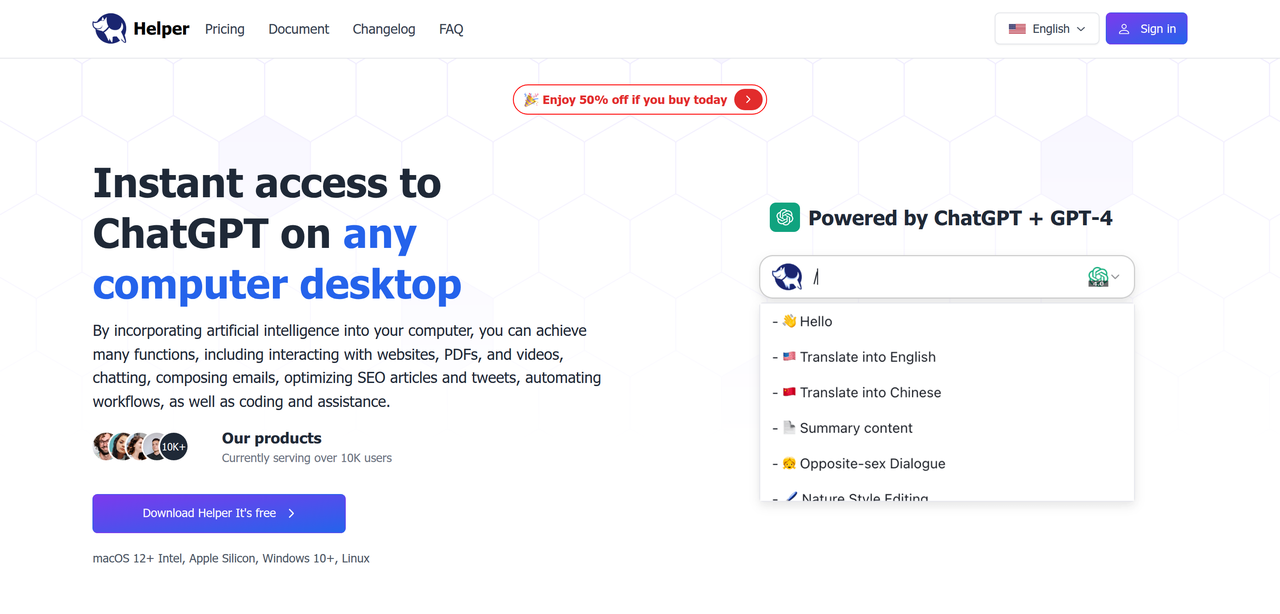
Key Features:
  • Desktop-wide AI access (macOS, Windows, Linux)
  • Powered by ChatGPT + GPT-4, Gemini, Azure, OpenRouter
  • Writing assistant for outlining, composing, and improving text
  • Coding assistant for generating code, explanations, and bug fixes
  • Email assistant for composing and replying to emails
Pros
  • Content creators needing writing assistance across applications
  • Developers seeking an AI coding assistant within their IDE
  • Professionals looking to automate email replies and general work tasks
Cons
  • Requires installation of desktop software
  • Free version has daily usage limits
  • Windows version may trigger antivirus software due to system-level API usage
Pricing
freemiumFree tier
Starting at:$8.3/mo
Free tier:10 basic queries per day, 300 basic queries/month, requests limited during high-traffic periods
Plans
  • Free: 10 basic queries/day, 300 basic queries/month
  • Pro (Cloud Plan) $8.3/mo (billed annually): 2500 basic queries, Gemini without deduction, 30 GPT4 queries/consumption, faster response, priority support
  • Elite (Cloud Plan) $16.6/mo (billed annually): 6000 basic queries, all Pro benefits, video call support
  • Personal (Local Plan) $29 (one-time): 1 device, full chat, built-in prompts, 50+ AI commands/assistants, use your own API key
  • Standard (Local Plan) $49 (one-time): 3 devices, all Personal benefits, use your own API key
  • Team (Local Plan) Get in touch: Unlimited macOS devices, all Standard benefits, use your own API key
Refund:7-day unconditional refund for unused plans
Share:
Quick Decision
Try if: You need a versatile AI assistant integrated directly into your desktop workflow across multiple operating systems and want access to various AI models.
Skip if: You prefer purely web-based AI solutions, are concerned about installing desktop software, or have very limited AI usage needs that a free web tool can cover.
Not for: Users who prefer web-based AI tools exclusively; Individuals unwilling to install desktop software for AI access
Trust Signals
  • Founded


    2023
  • Users


    10k+
  • Team Size


    small
Tech Details
Platforms
macOSWindowsLinux
  • AI Model


    ChatGPT, GPT-4, Gemini, Azure, OpenRouter
Open Source
No
Support
Channels
emailTelegramDiscord
Company
  • Name


    GEEKER LTD
  • Location


    Netherlands (based on Terms and Conditions)

Helper aims to provide instant access to AI functionalities across any computer desktop, enhancing productivity and workflow.

FAQ

Is AI Helper free?

AI Helper offers a free version with daily usage limits. For unlimited access and more features, users can upgrade to a paid version.

How do I activate AI Helper on my desktop?

You can activate AI Helper by pressing `Option + X` or `Alt + X`. Alternatively, select any text from an app or website and use AI Helper to explain, translate, or rephrase.

What are the differences between the Local Plan and Cloud Plan?

The Local Plan allows you to use your own OpenAI API key and is a one-time purchase. The Cloud Plan uses Helper's OpenAI API key and is a monthly or annual subscription.

What are the system requirements for Helper?

Helper requires macOS 12+ (Intel, Apple Silicon) or Windows 7+. An OpenAI API Key and a stable internet connection are also necessary.

How does Helper ensure my privacy and security?

Helper prioritizes user privacy and security, following strict protocols. It only accesses necessary information to enhance user experience and does not access unrelated files or data. Selected text is only sent to the server when AI commands are applied.

Use Cases
  • Content creators needing writing assistance across applications
  • Developers seeking an AI coding assistant within their IDE
  • Professionals looking to automate email replies and general work tasks
AILookup

Research utility for AI tools. Compare reviewed profiles, distinguish listed tools from reviewed coverage, and track tool changes without marketing fluff.

© 2026 AILookup. All rights reserved.