HeyPhoto

Ever wished you could instantly tweak a smile or change an emotion in a photo?

RecommendedHeyPhoto offers a user-friendly suite of AI-powered tools for quick and effective facial photo editing, ideal for casual users and quick touch-ups.

HeyPhoto offers a suite of online AI tools to modify facial features in photos, including changing smiles, gender, emotions, and anonymizing faces. It provides an intuitive interface for quick and easy photo enhancements.
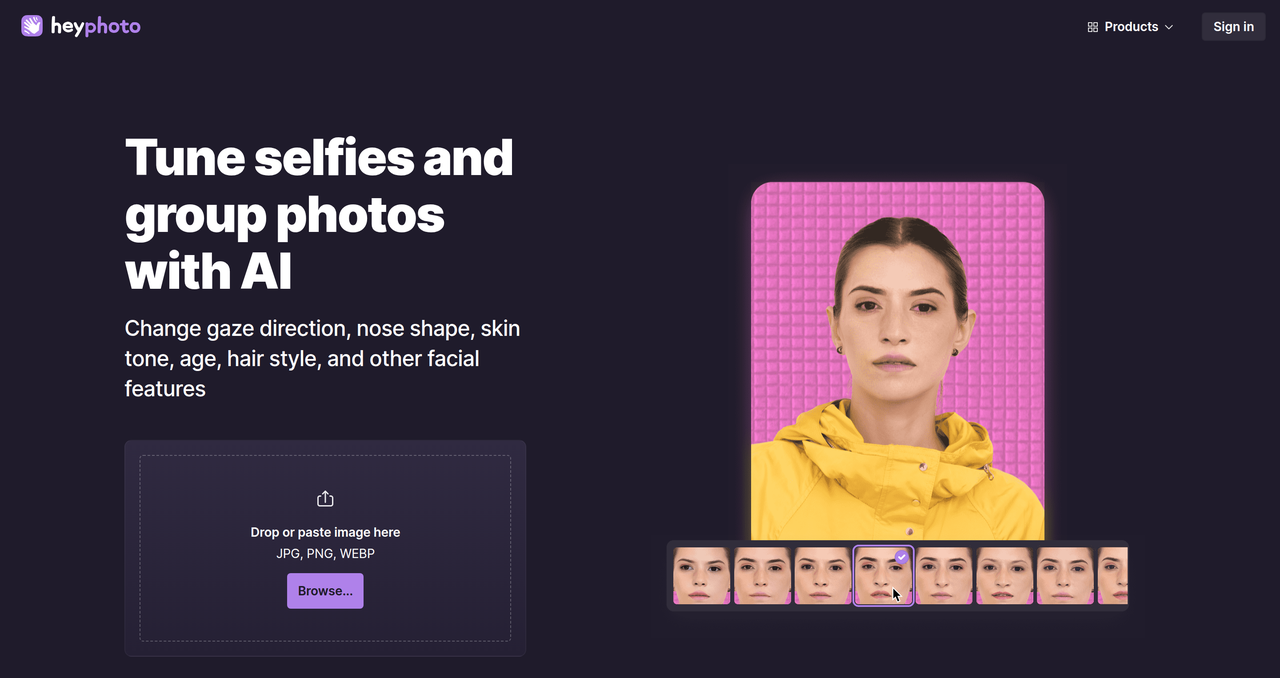
Key Features:
  • Smile adjustment
  • Gender transformation
  • Emotion tweaking
  • Face anonymization
  • Age modification
Pros
  • Photographers looking to quickly enhance portraits
  • Social media users wanting to perfect their profile pictures
  • Individuals who need to anonymize faces for privacy reasons
Cons
  • Watermark on free usage
  • Limited to facial editing, not general photo manipulation
  • Optimal results with clear, front-facing photos
Pricing
freemiumFree tier
Free tier:Watermark on resulting photos
Share:
Quick Decision
Try if: You need a quick and easy way to make specific facial adjustments to photos, such as changing expressions or anonymizing faces, and don't mind a watermark for free usage.
Skip if: You require advanced, watermark-free photo editing capabilities beyond facial manipulation, or need a tool for non-facial image enhancements.
Not for: Users needing advanced, professional-grade photo manipulation; Those who require extensive non-facial photo editing features
Trust Signals
  • Team Size


    small
Tech Details
Platforms
web
Open Source
No
Support
Channels
emailforumFAQ
Company
  • Name


    Icons8 LLC

Icons8 provides various design resources and AI tools, including icons, illustrations, photos, and AI-powered generators.

FAQ

How does HeyPhoto work?

HeyPhoto utilizes artificial intelligence to detect faces in uploaded photos and applies changes based on the selected tool, such as adjusting smiles, gender, or emotions. The service is designed to be intuitive and user-friendly.

Does HeyPhoto store uploaded images?

HeyPhoto securely stores uploaded images to allow users quick access when needed. However, users have the option to delete their images at any time to maintain privacy.

Is HeyPhoto free to use?

Yes, HeyPhoto is free to use, but the resulting photos will include a watermark. This allows users to access the service without cost while providing promotion for HeyPhoto.

Use Cases
  • Photographers looking to quickly enhance portraits
  • Social media users wanting to perfect their profile pictures
  • Individuals who need to anonymize faces for privacy reasons
AILookup

Research utility for AI tools. Compare reviewed profiles, distinguish listed tools from reviewed coverage, and track tool changes without marketing fluff.

© 2026 AILookup. All rights reserved.