Image Upscaler

What if your images could always look their best, effortlessly?

NicheImage Upscaler offers a robust and user-friendly suite of AI-powered online tools for enhancing and transforming images and videos, making advanced editing accessible to a broad audience.

Image Upscaler provides a comprehensive suite of online AI tools for photo and video editing, evolving from a deep learning convolutional neural network for image upscaling into a multi-tool image processor. It offers advanced features like image upscaling, deblurring, background removal, and artistic transformations, all accessible through a user-friendly online platform.
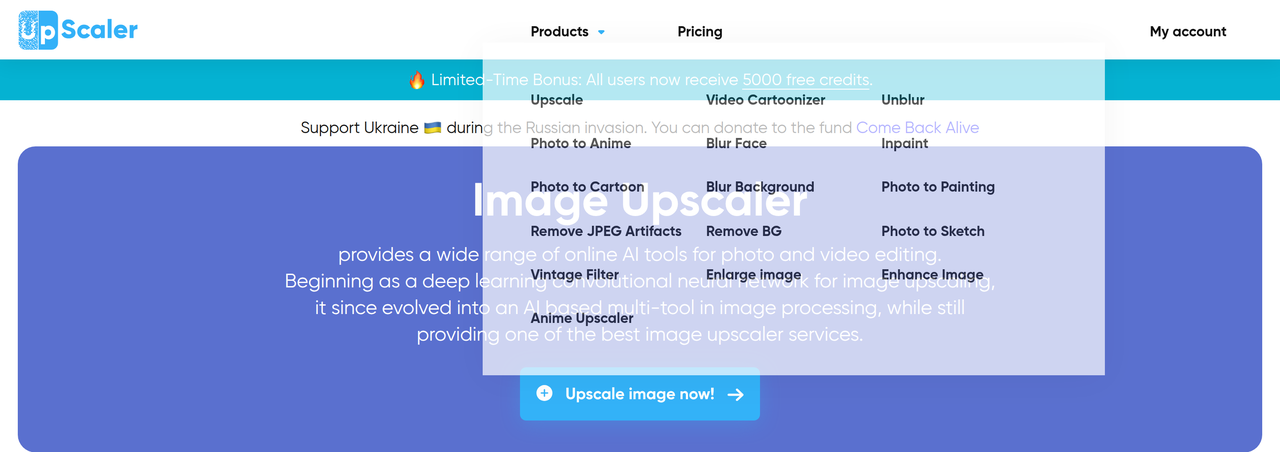
Key Features:
  • AI Image Upscaling and Enlarging (up to 4x)
  • Image Deblurring and Enhancement
  • AI Background Removal and Inpainting (object removal)
  • Photo and Video Cartoonizer/Anime Converter
  • Support for multiple image and video formats (JPEG, PNG, WebP, HEIC, BMP, TIFF, AVIF, JFIF, PDF, MP4, AVI)
Pros
  • Social media bloggers (Instagram, Facebook, Twitter, Pinterest) needing high-quality visuals.
  • Website owners and marketers requiring professional-grade images for product listings and campaigns.
  • Designers and photographers looking to enhance, restore, or transform images with AI.
Cons
  • Free credits are limited per month, requiring subscription for higher usage.
  • Maximum file size and resolution limits for uploads (30MB, 10000x10000 pixels).
  • Processing times can vary (10-30 seconds for some tools).
Pricing
freemiumFree tier
Starting at:$9.90 / month (Starter Plan, monthly billing)
Free tier:The site banner says all users receive 5000 free credits; the pricing page does not detail a separate free plan.
Price verified on the live site 2026-07-12 · pricing page
Share:
Quick Decision
Try if: You need a versatile online AI tool for various image and video editing tasks, from upscaling and deblurring to creative transformations like cartoonizing, and appreciate a freemium model to test features.
Skip if: You require highly specialized, professional-grade desktop software with advanced manual controls, or have very large files exceeding the platform's limits.
Not for: Users who prefer desktop-only software for extensive offline editing.; Professionals needing highly specialized, granular control over every pixel.
Trust Signals
  • Team Size


    small
Tech Details
Platforms
webapi
  • AI Model


    Deep Learning convolutional neural networks
Open Source
No
Support
Channels
email
Company
  • Name


    Image Upscaler
  • Location


    Ukraine

A young, ambitious team from Ukraine, driven by a passion for innovation and helping people, providing AI-powered tools for image and video enhancement.

FAQ

What are the 5000 free credits?

For a limited time, all users receive 5000 free credits to use across AI tools like Image Upscaler, Background Remover, and Image Enhancer. No credit card is required, and the offer may change or end at any time.

Is Image Upscaler free?

Each user gets 3 free credits per month for each software. Additional credits can be purchased through subscription plans. A limited-time bonus of 5000 free credits is also available upon sign-up.

What image formats are supported?

The tools support a wide range of image formats including JPEG (.jpg, .jpeg), PNG, WebP, HEIC, BMP, TIFF, AVIF, JFIF, and PDF. Video formats MP4 and AVI are also supported.

How does the Inpaint tool work?

The Inpaint tool, an AI magic eraser, removes unwanted objects by analyzing the brushed area and reconstructing the background based on surrounding textures, edges, and color transitions. It generates new pixel data that blends naturally with the rest of the photo.

Is my data safe when using Image Upscaler?

Yes, uploading photos to Image Upscaler is completely secure. Photos are processed and deleted after 30 minutes once the enhancement is complete, ensuring privacy.

Use Cases
  • Social media bloggers (Instagram, Facebook, Twitter, Pinterest) needing high-quality visuals.
  • Website owners and marketers requiring professional-grade images for product listings and campaigns.
  • Designers and photographers looking to enhance, restore, or transform images with AI.
AILookup

Research utility for AI tools. Compare reviewed profiles, distinguish listed tools from reviewed coverage, and track tool changes without marketing fluff.

© 2026 AILookup. All rights reserved.