Retune

What if your AI agent could see what you see?

Automated product research from public website content. No hands-on app test is recorded for this profile. Pricing source and check date are shown below where available.

Research fitSource-based assessment: Retune offers a unique visual-to-code workflow for front-end development, leveraging AI agents to translate design tweaks into committed code.

Retune is a desktop tool that allows developers to visually select and tweak any element directly in the browser. It then uses an AI agent to write the corresponding code changes, eliminating the need for manual prompting for pixel adjustments.
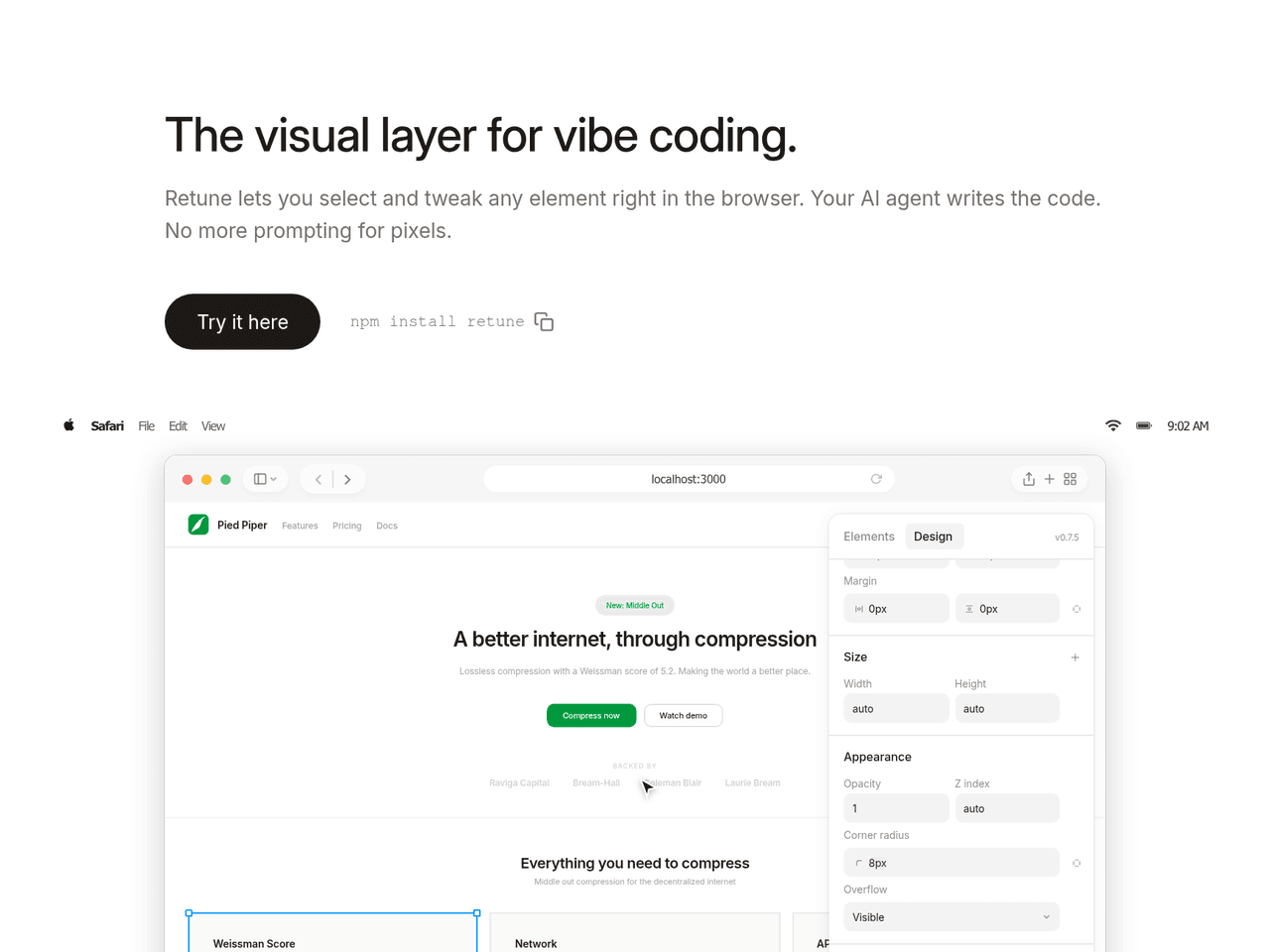
Key Features:
  • Visual element selection and tweaking in the browser.
  • AI agent writes code based on visual changes.
  • Supports Next.js, Vite, Remix, Tailwind, CSS Modules, and plain CSS.
  • Connects with Claude Code and Cursor via MCP.
  • Automatically hidden in production builds.
Pros
  • Developers who want to visually adjust UI elements without writing code manually.
  • Teams using AI coding tools like Claude Code or Cursor for front-end development.
  • Anyone looking to bridge the gap between visual design and code implementation efficiently.
Cons
  • Requires an AI coding tool (e.g., Claude Code, Cursor) to function fully.
  • Primarily a desktop tool, not optimized for smaller screens.
  • Relies on the AI agent's ability to accurately translate visual changes into code.
Pricing
unknown
Share:
Quick Decision
Try if: You are a front-end developer using AI coding assistants and want a visual way to make UI adjustments that are automatically coded.
Skip if: You prefer to hand-code all UI changes or do not use AI coding tools.
Not for: Non-developers or those without an AI coding agent setup.; Users who prefer to write all UI code from scratch without visual aids.
Trust Signals
  • Team Size


    small
Tech Details
Platforms
web
Integrations
Claude CodeCursor
Open Source
Yes
Support
Channels
GitHub issues
Company
  • Name


    Retune

Retune is a tool designed to streamline front-end development by allowing visual adjustments to UI elements that are then translated into code by an AI agent.

FAQ

Does Retune modify my source code directly?

No, Retune sends a structured diff of your visual changes to your AI coding tool (like Claude Code or Cursor), which then makes the actual code changes. You always review and approve before anything is committed.

Does Retune ship to production?

No, the <Retune /> component automatically hides itself in production builds. It only activates in development mode unless you explicitly pass the `force` prop.

What frameworks and styling approaches are supported by Retune?

Retune supports Next.js, Vite, and Remix. For styling, it works with Tailwind, CSS Modules, and plain CSS. It connects to Claude Code and Cursor via MCP.

Use Cases
  • Developers who want to visually adjust UI elements without writing code manually.
  • Teams using AI coding tools like Claude Code or Cursor for front-end development.
  • Anyone looking to bridge the gap between visual design and code implementation efficiently.
AILookup

Research utility for AI tools. Compare sourced profiles, distinguish listings from automated research, and track tool changes without marketing fluff.

© 2026 AILookup. All rights reserved.