SheetAI.app

What if your spreadsheets could think?

RecommendedSheetAI is a powerful Google Sheets add-on that seamlessly integrates AI capabilities into your spreadsheets, making complex data tasks accessible through simple formulas.

SheetAI brings the power of artificial intelligence directly to Google Sheets, allowing users to generate content, classify data, extract information, and automate tasks using simple spreadsheet formulas. It integrates with AI models like GPT-4o, Gemini, and Claude to transform spreadsheets into intelligent data tools.
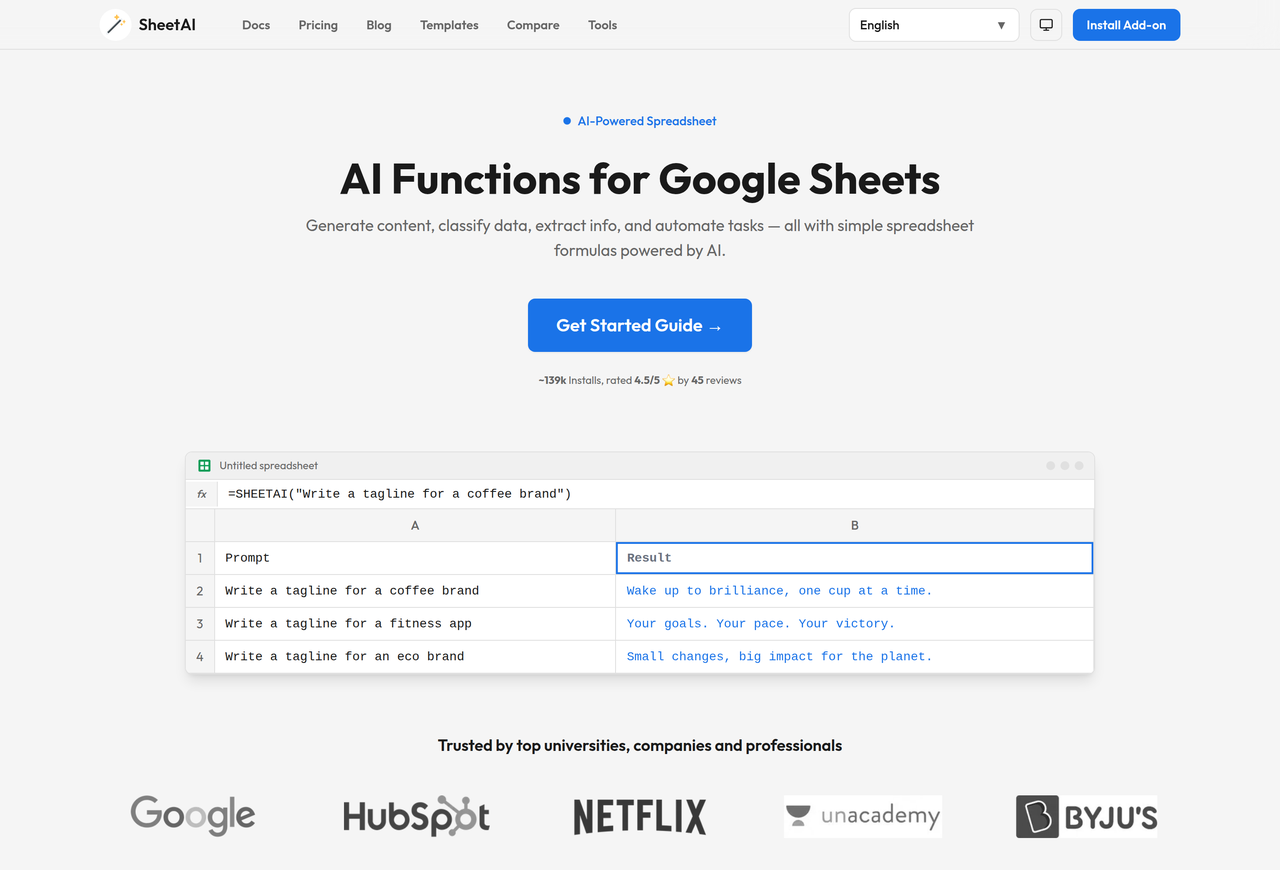
Key Features:
  • Generate text content with =SHEETAI()
  • Create structured lists instantly with =SHEETAI_LIST()
  • Extract specific data from text using =SHEETAI_EXTRACT()
  • Classify and categorize data with =SHEETAI_CLASSIFY()
  • Auto-complete columns with AI-generated data using =SHEETAI_FILL()
Pros
  • Marketers generating ad copy and campaign ideas
  • Data Analysts classifying and cleaning datasets
  • Content Creators brainstorming blog topics and outlines
Cons
  • Relies on Google Sheets, limiting use for non-Google Workspace users.
  • API usage costs for OpenAI, Google Gemini, or Anthropic are separate.
  • Performance can be affected by Google's script execution limits.
Pricing
freemiumFree tier
Starting at:$20/month
Free tier:50 AI function calls per month
Plans
  • Free: 50 AI function calls/month
  • Unlimited Monthly: $20/month (unlimited calls, use own API keys)
  • Unlimited Yearly: $200/year (unlimited calls, use own API keys)
  • Domain License: $299/year (up to 20 users, use own API keys)
Refund:30-day money-back guarantee
Share:
Quick Decision
Try if: You frequently work with data in Google Sheets and need to automate content generation, data extraction, classification, or summarization tasks without coding.
Skip if: You primarily use other spreadsheet software or require a standalone, highly customized AI solution outside of Google Sheets.
Not for: Users who do not use Google Sheets for data management; Individuals seeking a standalone AI writing or data analysis platform
Trust Signals
  • Users


    ~139k Installs
  • Team Size


    small
Compliance
GDPR
Tech Details
Platforms
web
Integrations
Google SheetsOpenAIClaudeReplicateGoogle Gemini
  • AI Model


    GPT-4o, Gemini, Claude
Open Source
No
Support
Channels
emailhelp center
  • Response Time


    within 30 days for GDPR inquiries
Company
  • Name


    IndianAppGuy Tech Pvt Ltd

SheetAI is on a mission to unlock the power of AI for everyone, by making it accessible through the familiar Google Sheets interface.

FAQ

What is SheetAI App?

SheetAI is an AI-powered Google Sheets add-on that brings the power of AI directly into your spreadsheets. It provides custom functions like =SHEETAI(), =SHEETAI_LIST(), and more that let you generate text, extract data, classify content, and automate tasks using AI models like GPT-4o, Gemini, and Claude.

How much does SheetAI cost?

SheetAI offers a Free plan with 50 AI function calls per month. For unlimited usage, the Unlimited plan costs $20/month or $200/year. There's also a Domain License for up to 20 users at $299/year. Users can also use their own OpenAI, Google Gemini, or Anthropic API keys, incurring separate costs from those providers.

Is my OpenAI API key secure with SheetAI?

Yes, your API key is stored securely within your Google account using Google Apps Script's PropertiesService and is never transmitted to or stored on SheetAI servers. API calls are made directly from Google's servers to the AI provider.

Does SheetAI support languages other than English?

Yes, the underlying AI models (GPT-4o, Gemini, Claude, etc.) support over 90 languages. You can write prompts and receive responses in any supported language, and also use SheetAI for translation.

What permissions does SheetAI require?

SheetAI requires permission to connect to external services (for AI APIs) and to display third-party web content (for the sidebar panel). It does not access, store, or share your spreadsheet data beyond what is needed for AI function calls.

Use Cases
  • Marketers generating ad copy and campaign ideas
  • Data Analysts classifying and cleaning datasets
  • Content Creators brainstorming blog topics and outlines
AILookup

Research utility for AI tools. Compare reviewed profiles, distinguish listed tools from reviewed coverage, and track tool changes without marketing fluff.

© 2026 AILookup. All rights reserved.