Type Studio

What if editing your podcast was as easy as editing a text document?

RecommendedStreamlabs Podcast Editor simplifies video editing for podcasters and streamers by allowing text-based manipulation of content, making repurposing for social media efficient and accessible.

Streamlabs Podcast Editor, formerly Type Studio, offers a text-based video editing experience for podcasts and interviews. It leverages AI to transcribe content, allowing users to edit video by simply editing the text, and repurpose long-form content into short clips for social media.
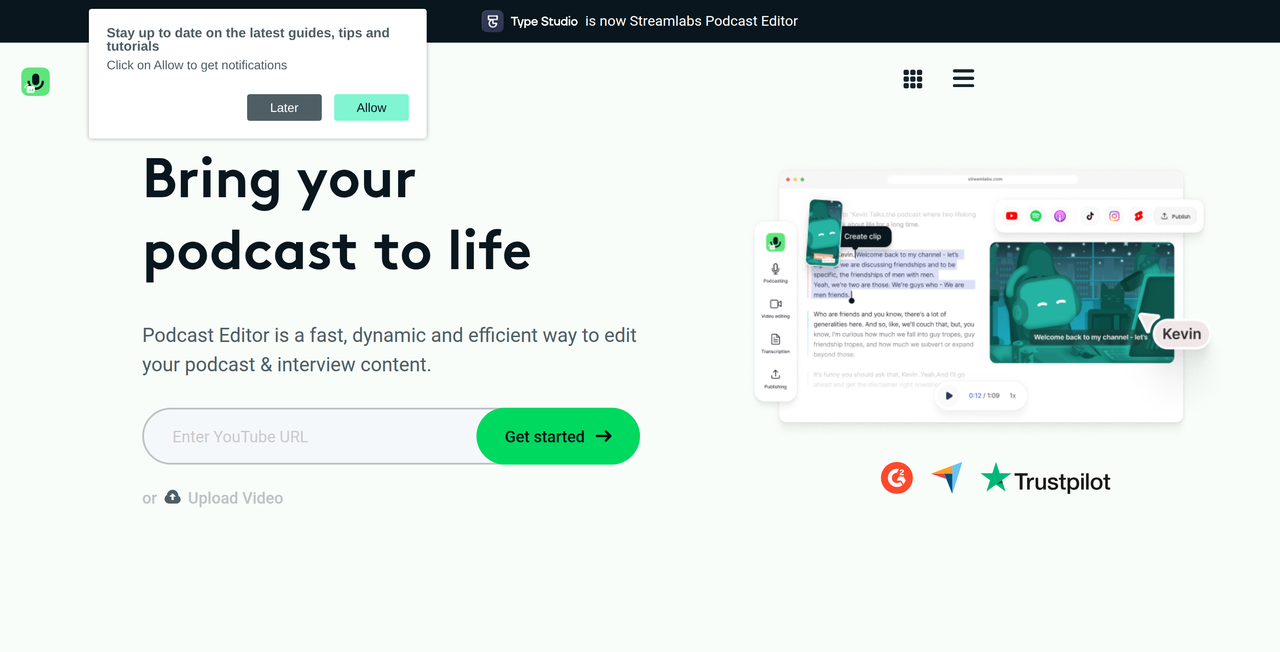
Key Features:
  • AI-powered transcription for video and audio
  • Text-based editing (edit video by editing text)
  • Automatic removal of filler words and pauses
  • Repurpose long-form content into short clips for social media
  • Add images, subtitles, and branding elements
Pros
  • Podcasters looking for efficient, text-based editing
  • Streamers wanting to repurpose long-form content into short clips
  • Content creators without extensive video editing experience
Cons
  • The free plan has significant limitations (1 hour/month, 15GB storage, Streamlabs branding)
  • Pricing for the Pro plan is monthly or yearly, with a discount for annual billing
  • Primarily focused on podcast and streaming content, may not suit other video editing needs
Pricing
freemiumFree tier
Starting at:$12/mo
Free tier:1 hour per month, edit videos up to 1 hour long, 15GB of storage, Streamlabs branding
Plans
  • Podcast Editor Free: 1 hour per month, edit videos up to 1 hour long, 15GB of storage, Streamlabs branding
  • Podcast Editor Pro $12/mo (or $9/mo annually): 40 hours per month, edit videos up to 2 hours long, 250GB of storage, export subtitles (.srt, .vtt, .txt), translation, no watermark
Share:
Quick Decision
Try if: You are a podcaster or streamer looking for an intuitive, text-based video editor to quickly create and repurpose content for various platforms, especially if you value transcription and subtitle features.
Skip if: You require advanced, traditional video editing capabilities or need to edit very long videos frequently without paying for a subscription.
Not for: Professional video editors needing advanced features; Users who prefer traditional timeline-based editing workflows
Trust Signals
Notable Customers
Rhett & Link (Good Mythical Morning)Espree Devora (Women in Tech Podcast)Full Squad Gaming
Tech Details
Platforms
web
Open Source
No
Support
Company
  • Name


    Streamlabs (Logitech Services S.A.)
  • Location


    around the globe

Streamlabs offers a suite of tools for live streamers and content creators, including desktop streaming software, video editors, clip creators, and podcast editing solutions.

FAQ

What is Streamlabs Podcast Editor?

Streamlabs Podcast Editor, formerly Type Studio, is a text-based video editing tool designed for podcasts and interviews. It uses AI to transcribe your content, allowing you to edit your video by simply editing the transcribed text.

Can I use Streamlabs Podcast Editor for free?

Yes, Streamlabs Podcast Editor offers a free plan which includes 1 hour of editing per month, 15GB of storage, and allows editing videos up to 1 hour long, but includes Streamlabs branding on exports.

What are the key features of the Pro plan?

The Pro plan offers 40 hours of editing per month, 250GB of storage, the ability to edit videos up to 2 hours long, export subtitles in various formats (.srt, .vtt, .txt), translation features, and no watermark on exported videos.

How does the text-based editing work?

The tool transcribes your video content using AI. You can then edit the video by cutting, pasting, or deleting text in the transcription, and the corresponding video segments will be adjusted automatically. This also allows for easy removal of filler words and pauses.

Can I repurpose my content for social media?

Yes, a core feature of the Podcast Editor is to easily convert long-form podcasts into bite-sized clips suitable for platforms like TikTok, Reels, and Shorts, helping you promote your episodes across all social media.

Use Cases
  • Podcasters looking for efficient, text-based editing
  • Streamers wanting to repurpose long-form content into short clips
  • Content creators without extensive video editing experience
AILookup

Research utility for AI tools. Compare reviewed profiles, distinguish listed tools from reviewed coverage, and track tool changes without marketing fluff.

© 2026 AILookup. All rights reserved.