Video Compress

What if you could edit your videos and audio with professional-grade tools, all for free and online?

RecommendedVideoCompress offers a robust and accessible set of online tools for everyday video and audio tasks, making it an excellent choice for quick, quality edits without cost or complexity.

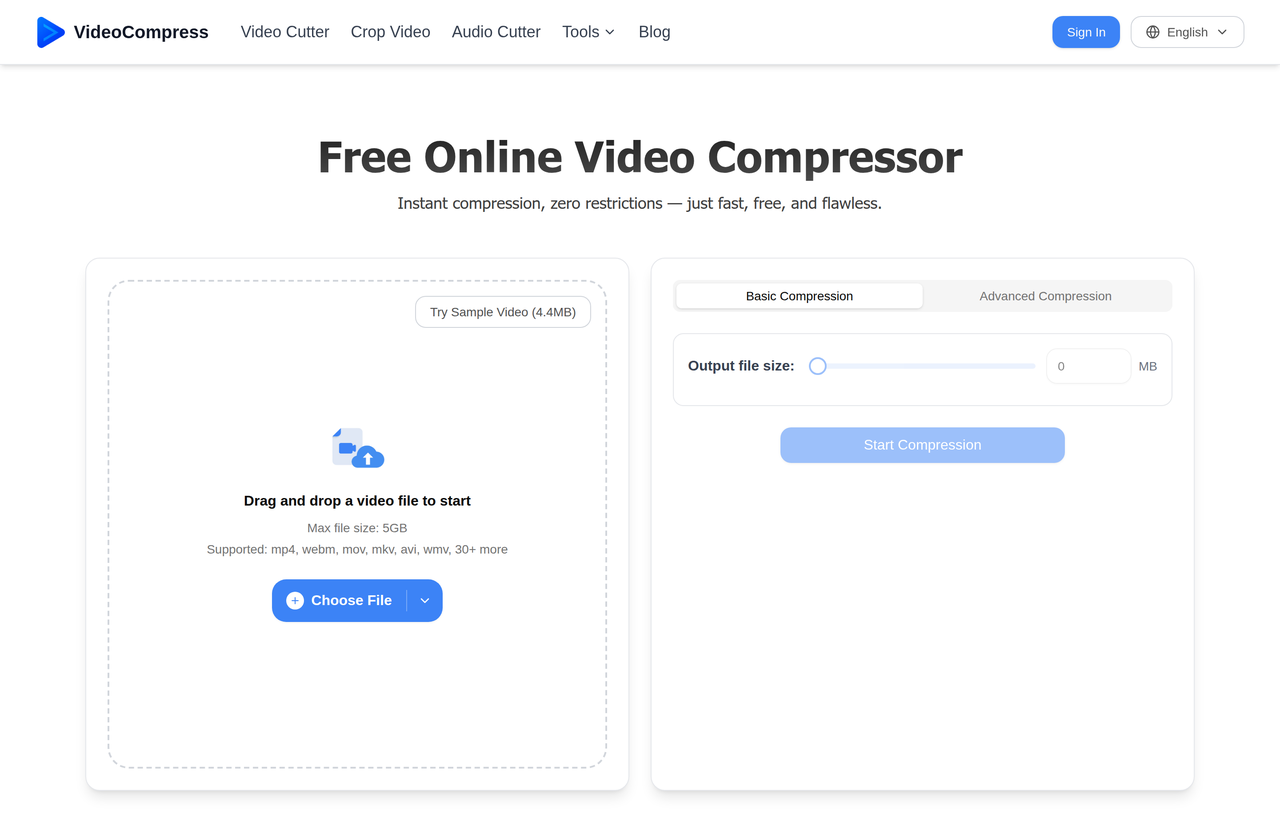
VideoCompress offers a suite of free online tools for video and audio editing, including compression, cutting, cropping, and conversion. It stands out by providing high-quality results without watermarks or usage limits, all within a secure, cloud-based environment.
Key Features:
  • Free online video compressor with advanced settings
  • Video cutter and cropper with aspect ratio presets
  • Audio cutter with fade-in/out effects and format flexibility
  • Video to MP3 converter for audio extraction
  • AI-powered video to text converter with speaker detection and timestamps
Pros
  • Content creators needing quick, high-quality video edits for social media
  • Teams and businesses optimizing video workflows and storage
  • Individuals looking to easily manage and share large video/audio files
Cons
  • Maximum file size limit of 5GB for uploads
  • Relies on internet connection for all processing
  • No advanced video effects or multi-track editing capabilities
Pricing
freeFree tier
Free tier:Unlimited usage, no watermarks, max 5GB file size
Share:
Quick Decision
Try if: You need a free, online, and easy-to-use suite of tools for basic video and audio editing (compression, cutting, cropping, conversion, transcription) without watermarks or usage limits.
Skip if: You require advanced, professional-grade video editing features, offline desktop software, or need to process files larger than 5GB.
Not for: Users requiring advanced, professional-grade video editing software with complex features; Those who prefer desktop applications for offline editing and maximum control
Trust Signals
  • Founded


    2026
  • Users


    200,000+
  • Team Size


    small
Tech Details
Platforms
web
  • AI Model


    Advanced speech-recognition AI
Open Source
No
Support
Channels
feedback form
Company
  • Name


    VideoCompress

VideoCompress provides a suite of free, online, and easy-to-use AI-powered tools for video and audio editing, focusing on compression, cutting, cropping, and conversion to streamline digital media workflows.

FAQ

Is VideoCompress completely free to use?

Yes, VideoCompress is 100% free to use. It doesn't add watermarks or impose limits, allowing users to compress, cut, crop, and convert as many videos and audio files as they like.

What is the maximum file size I can upload to VideoCompress?

You can upload and process video and audio files up to 5GB in size across all VideoCompress tools.

Does VideoCompress protect my privacy and data?

Yes, VideoCompress emphasizes secure processing. Files are protected during upload and processing, and uploaded data is automatically deleted from their servers after a limited period (e.g., 24 hours for video/audio, 24 hours for video to text) to protect user privacy.

Can I use VideoCompress tools on my mobile phone?

Yes, VideoCompress is mobile-friendly and works smoothly on both iPhone and Android devices. You can upload, process, and download files directly from your mobile browser.

Will using VideoCompress tools affect the quality of my video or audio?

VideoCompress aims to maintain original quality. For compression, its engine preserves visual clarity. For cutting, cropping, and conversion, it focuses on not recompressing the entire file to keep quality intact.

Use Cases
  • Content creators needing quick, high-quality video edits for social media
  • Teams and businesses optimizing video workflows and storage
  • Individuals looking to easily manage and share large video/audio files
AILookup

Research utility for AI tools. Compare reviewed profiles, distinguish listed tools from reviewed coverage, and track tool changes without marketing fluff.

© 2026 AILookup. All rights reserved.